

BYOK (Bring Your Own Key)
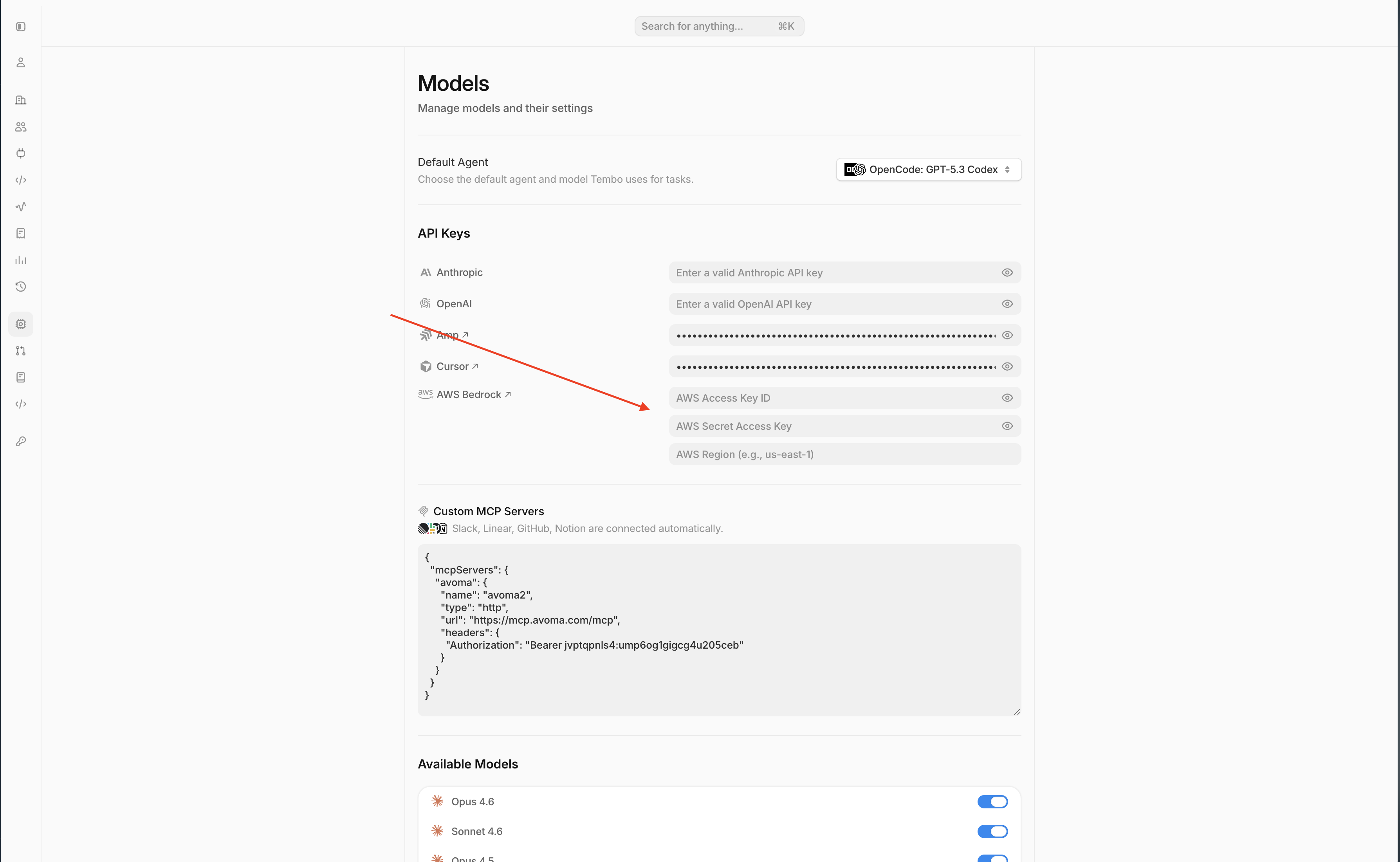
BYOK lets your workspace call models with your own provider credentials instead of Tembo-managed credentials.- Add keys in Settings -> Models -> API Keys.
- You can connect OpenAI, Anthropic, Cursor, Amp, AWS Bedrock, and GCP Vertex AI credentials.
- Tembo still handles orchestration, session context, sandbox execution, and PR automation.
Switch a model between BYOK and Tembo Managed Inference
Workspace admins can change the inference provider for individual models from Settings -> Models. In Available Models, use the model’s Inference dropdown to choose BYOK or Tembo Managed Inference, when those options are available for that model and workspace.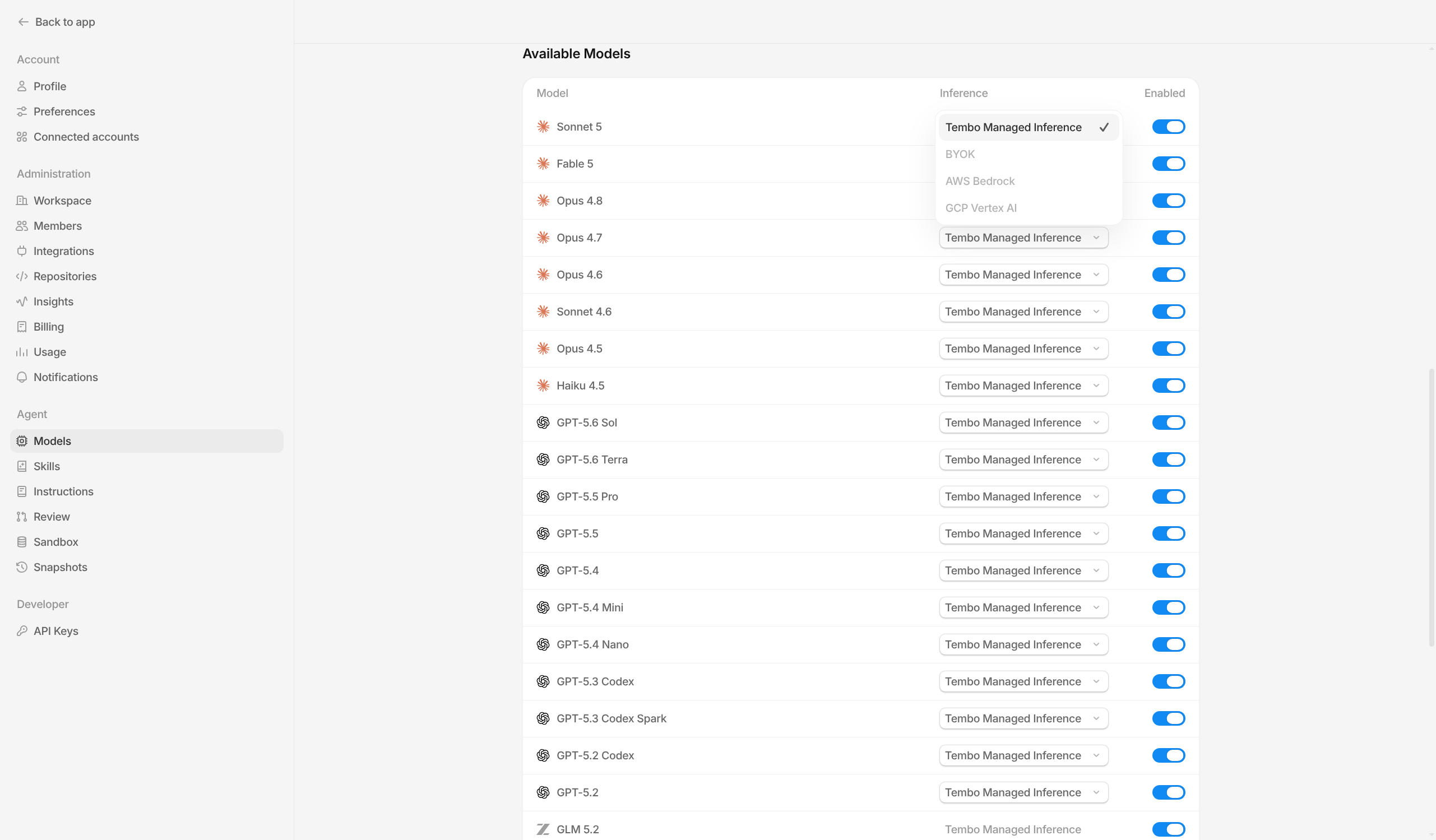
Bedrock BYOK support
Tembo supports BYOK with Amazon Bedrock. To enable it, add:- AWS Access Key ID
- AWS Secret Access Key
- AWS Region
GCP Vertex AI BYOK support
Tembo supports BYOK with GCP Vertex AI. To enable it, add:- Service account JSON
- Project ID
- Location
Supported models
The table below reflects the models currently supported by Tembo.Model availability can vary by agent and workspace configuration. If a model is disabled in your workspace, it will not appear in agent pickers until re-enabled.